
From findings to action
During an inspection, violations and remarks are identified. Artion automatically extracts these from certificates and reports.
With Task Management, you can easily convert these findings into one or more tasks.
You decide whether you:
-
create one task for all findings
-
or create multiple tasks per violation or per group of remarks
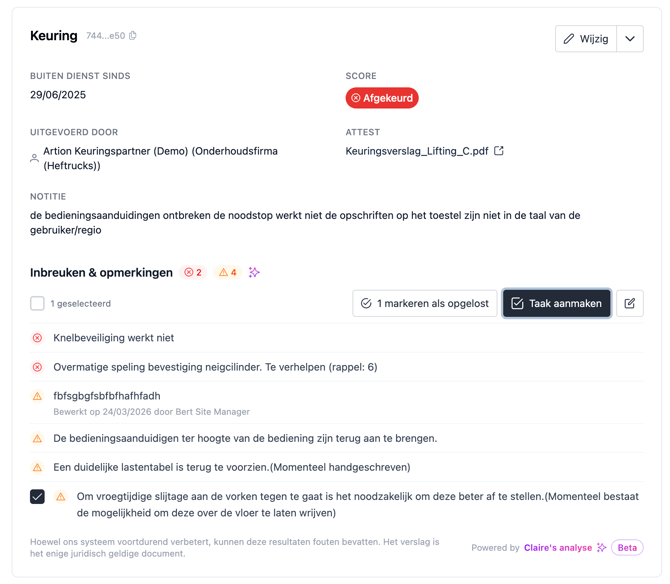
When creating a task, Artion automatically suggests a title and description based on the content of the report. These suggestions help you create tasks faster and more consistently.
Tracking and managing tasks
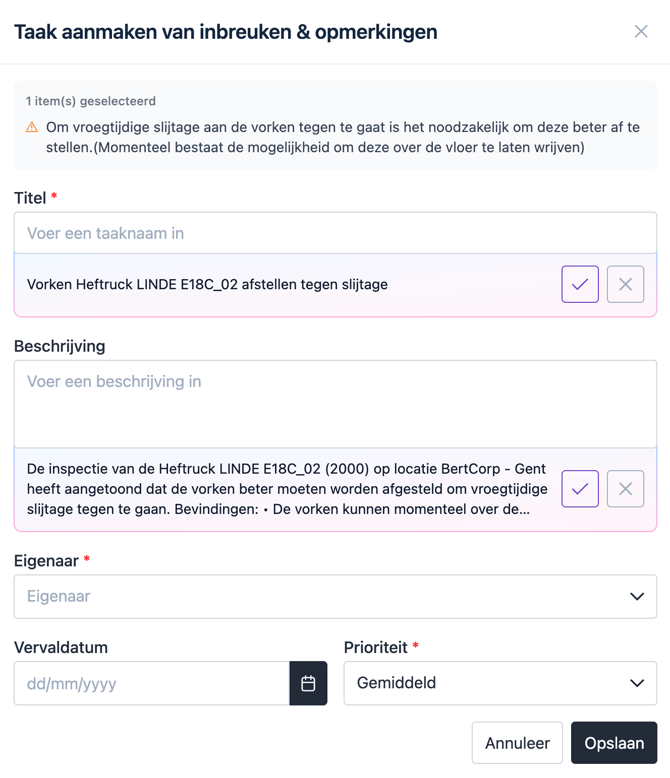
Once created, tasks can be easily tracked within Artion.
You can:
-
view tasks at asset level
-
or via the central task overview
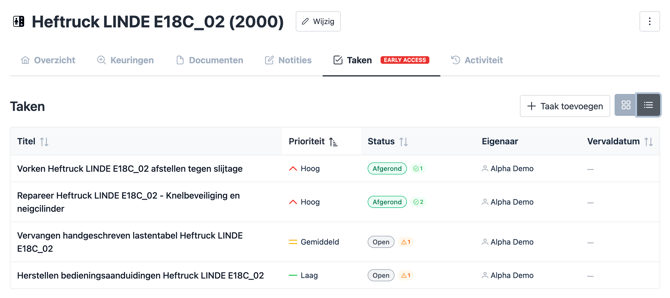
Within each task, you have access to all relevant information and can easily navigate to:
-
the asset
-
the site
-
and other related data
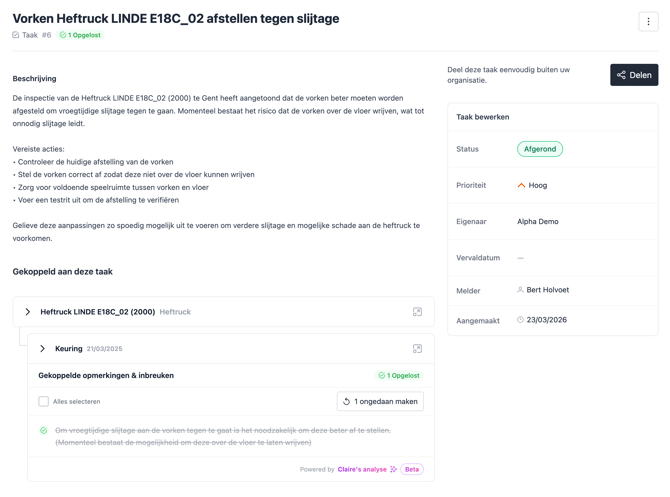
You can update the status of a task depending on its progress:
-
Open
-
In progress
-
Done
This way, you always maintain a clear overview of what still needs to be done and what has already been resolved.
Sharing and executing tasks
In many cases, a task is carried out by someone outside the platform, such as an external partner or supplier.
That’s why Artion makes it easy to share tasks.
You can:
-
copy and send a suggested email
-
or generate a link to a public page
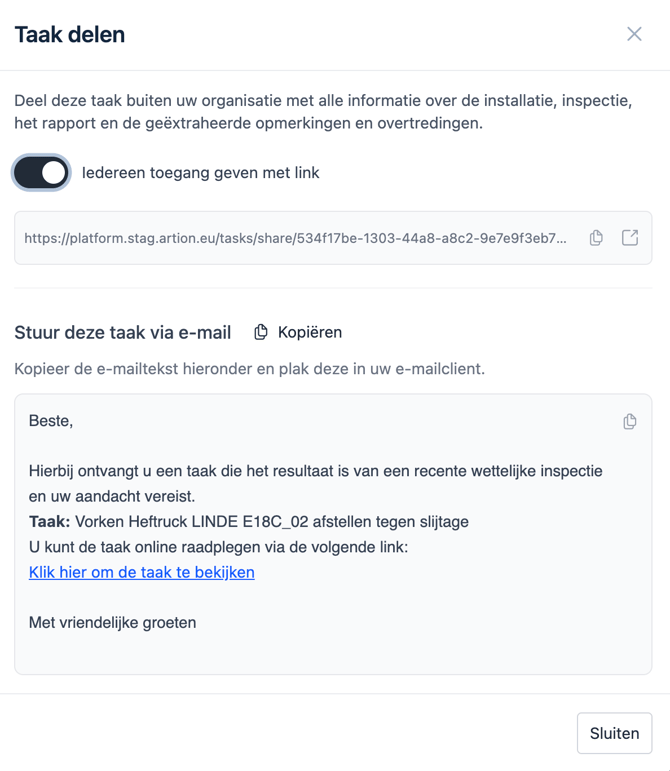
Via this link, the recipient gains access to all the information needed to complete the task, without having to gather additional context.
All context automatically collected
The shared task page automatically includes all relevant information, such as:
-
the task title and description
-
contact details of the responsible person
-
location information
-
asset details (including image and properties)
-
inspection information
-
the inspection score and validity
-
the original certificate or report
-
the linked violations and remarks
This means you no longer need to collect or structure information yourself.
Close the compliance loop
By turning findings into tasks and actively tracking and sharing them, you ensure that risks are effectively addressed.
Task Management helps you to:
-
take action faster
-
collaborate more effectively
-
and maintain full control over your compliance
Next steps
Want to learn more? Also check: