
Go to the site settings
-
Go to the correct site via the site overview or use the search bar.
-
Open the site dashboard.
-
Click Settings next to the site name.
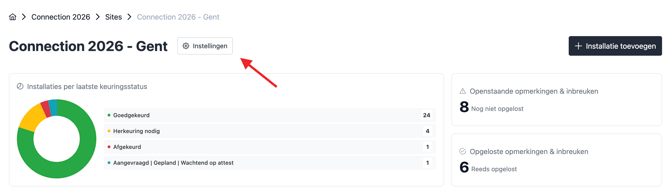
You will now be taken to the page where you can manage all site settings.
Update the billing details
On the General tab, you will find the Billing section.
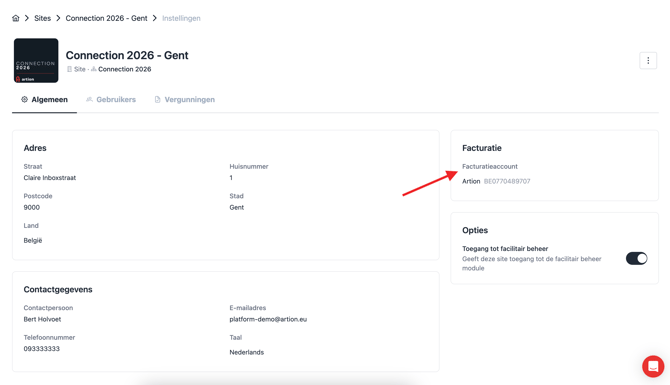
You have two options:
Select existing billing details
If the correct billing details are already linked to another site, you can simply select them from the existing list.
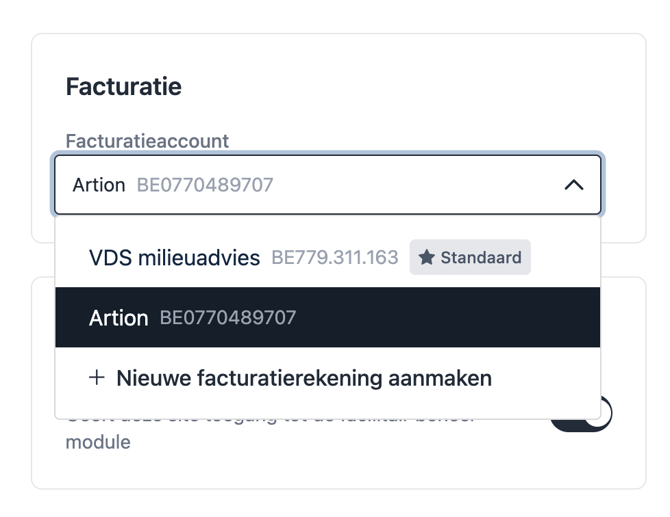
Add new billing details
If the required billing details are not yet available in the system, you can create a new billing account.
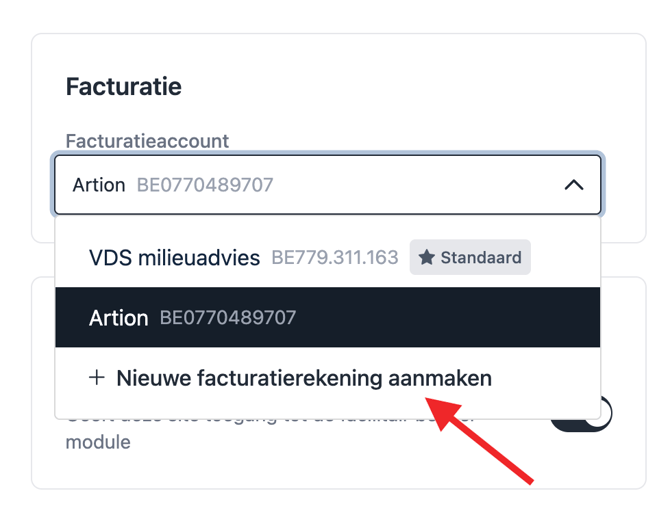
Enter the following information:
-
Name
-
VAT number
Then save the details. They will immediately become available to link to the site.
Summary
Via the site settings, you can easily:
-
select existing billing details;
-
add new billing details;
-
link the correct billing details to a site.
This ensures that the correct billing details are linked to each site.