
Step 1: Go to the findings
Open an inspection in Artion and go to the list of violations and remarks.
Step 2: Select what you want to convert into tasks
You can:
-
create one task for all findings
-
or create multiple tasks for specific violations or remarks
Select the items you want to include in a task.
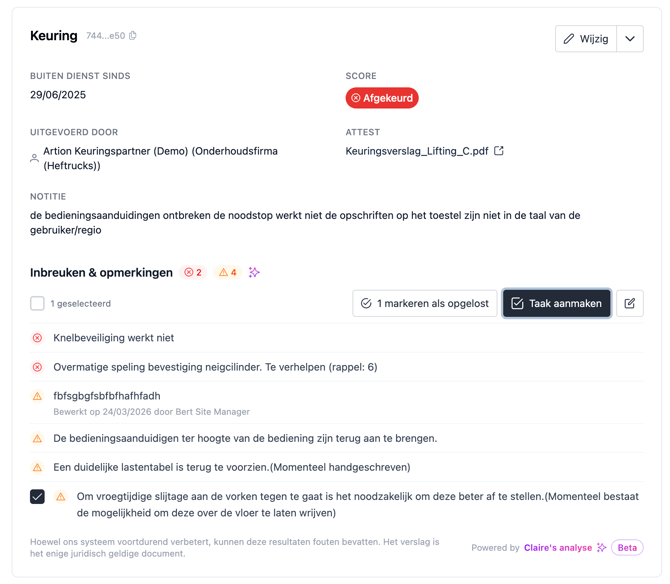
Step 3: Create a task
Click on “Create task”.
A window will open where you can configure the task.
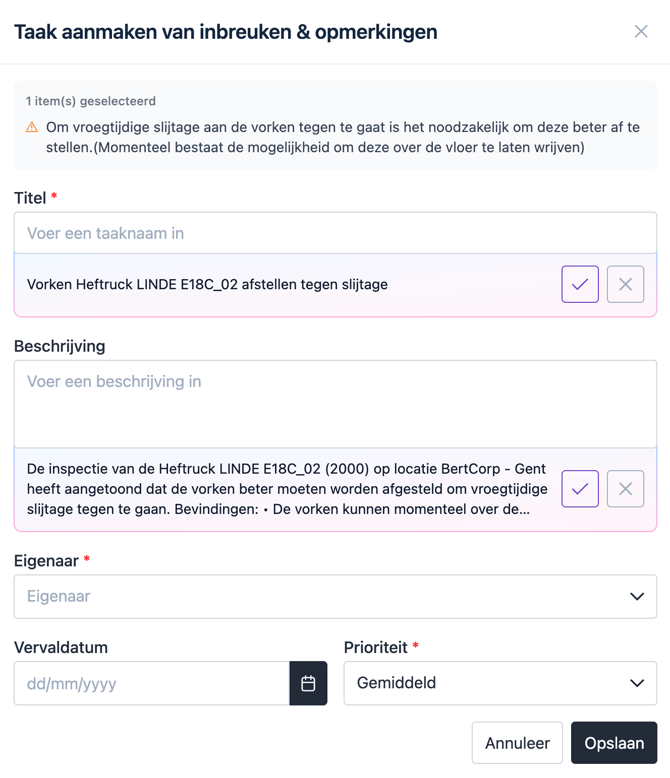
Step 4: Fill in the task details
When creating a task, Artion automatically suggests a title and description based on the selected findings.
You can adjust this information and complete it with:
-
an owner
-
a deadline (optional)
-
a priority
Step 5: Save the task
Click on “Save” to create the task.
The task is now linked to:
-
the selected violations and remarks
-
the asset
-
the related inspection
Result
You have now created a task that contains all the necessary context to take action.