
Option 1: Share via email
Open a task and choose to share it.
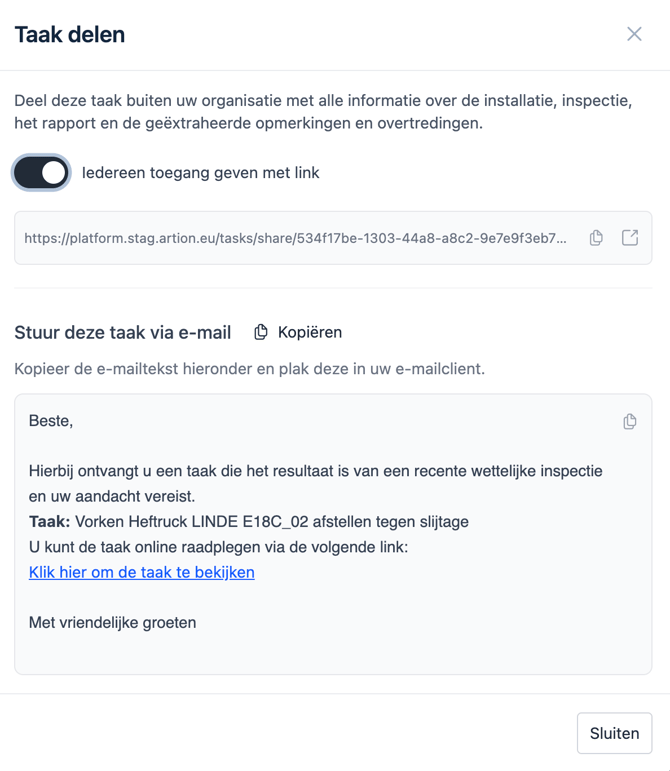
Artion automatically generates a suggested email text that you can:
-
copy
-
edit
-
and send via your own email tool
Option 2: Share via a link
You can also generate a link to a public page.
This link can easily be shared with:
-
internal teams
-
external suppliers
-
maintenance partners
You can also copy this link into a task/ticket in an existing system you use to track such activities.
What does the shared page include
The shared task page automatically includes all necessary context:
-
task title and description
-
contact details of the responsible person
-
location information
-
asset details (including image and properties)
-
inspection information
-
inspection score and validity
-
the original report or certificate (downloadable)
-
linked violations and remarks
Benefits
By sharing tasks via Artion:
-
you no longer need to manually gather information
-
you avoid errors and miscommunication
-
the executor can get started immediately
Result
Everyone has access to the same complete information to carry out the task correctly and efficiently.